How To Turn Off Adblock In Chrome
Have you ever experienced a problem like the image below? Even though you are using the Chrome browser and not turning on Adblock, Chrome actually has built-in adblock that automatically turns on that you don't know about
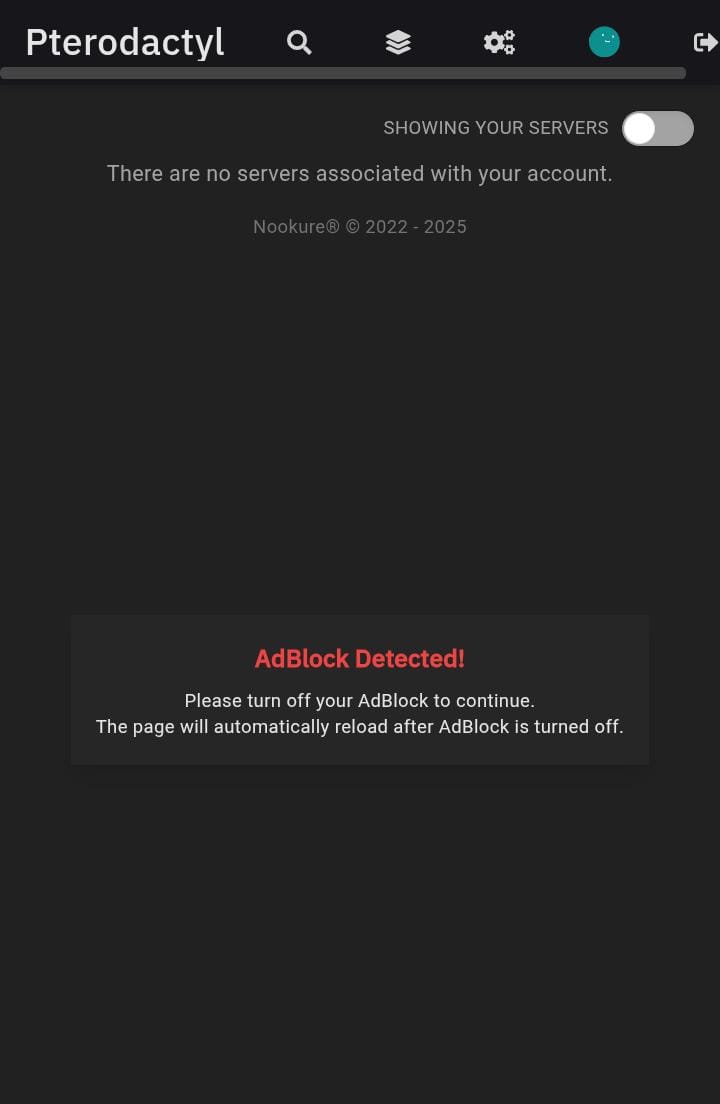
This is our system’s way of requesting that you disable Adblock so that the advertisements we display are not blocked. Please read more about our Advertising Policy.
How to Disable Adblock
Follow the steps below:
-
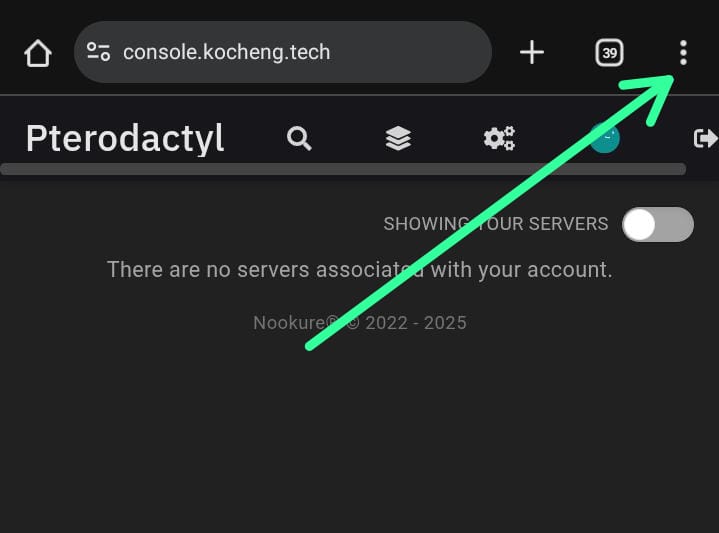
Click the 3 dots at the top right next to the search URL
-
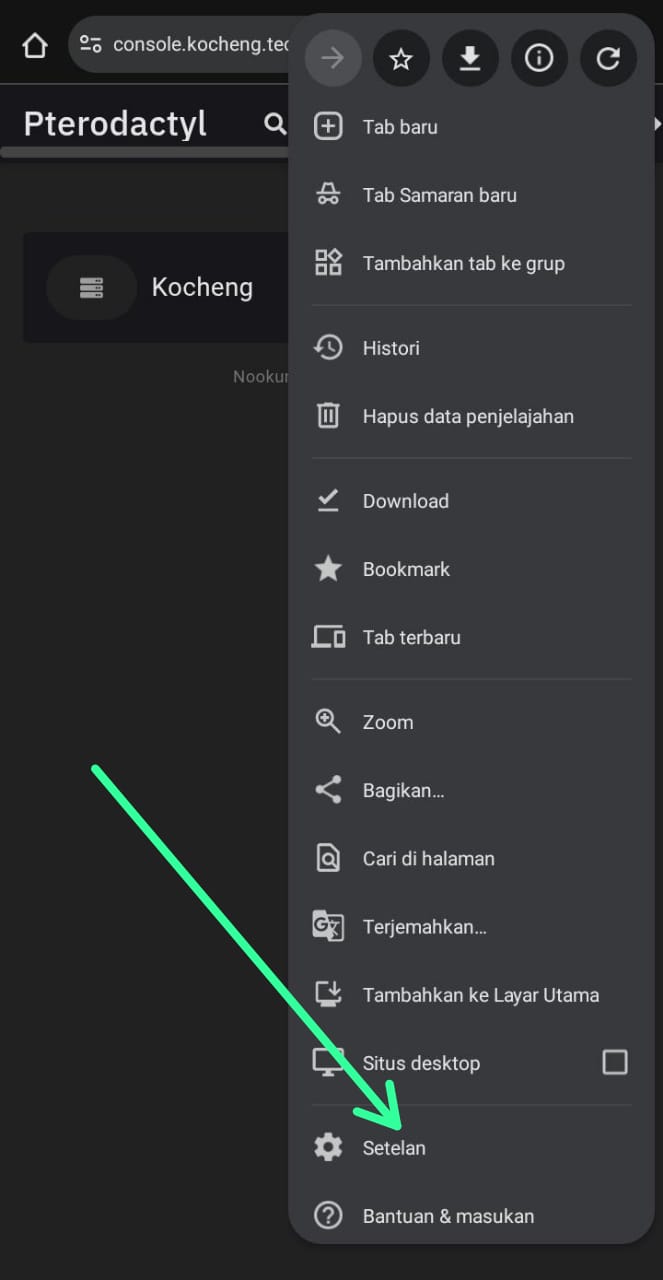
Then click the settings menu
-
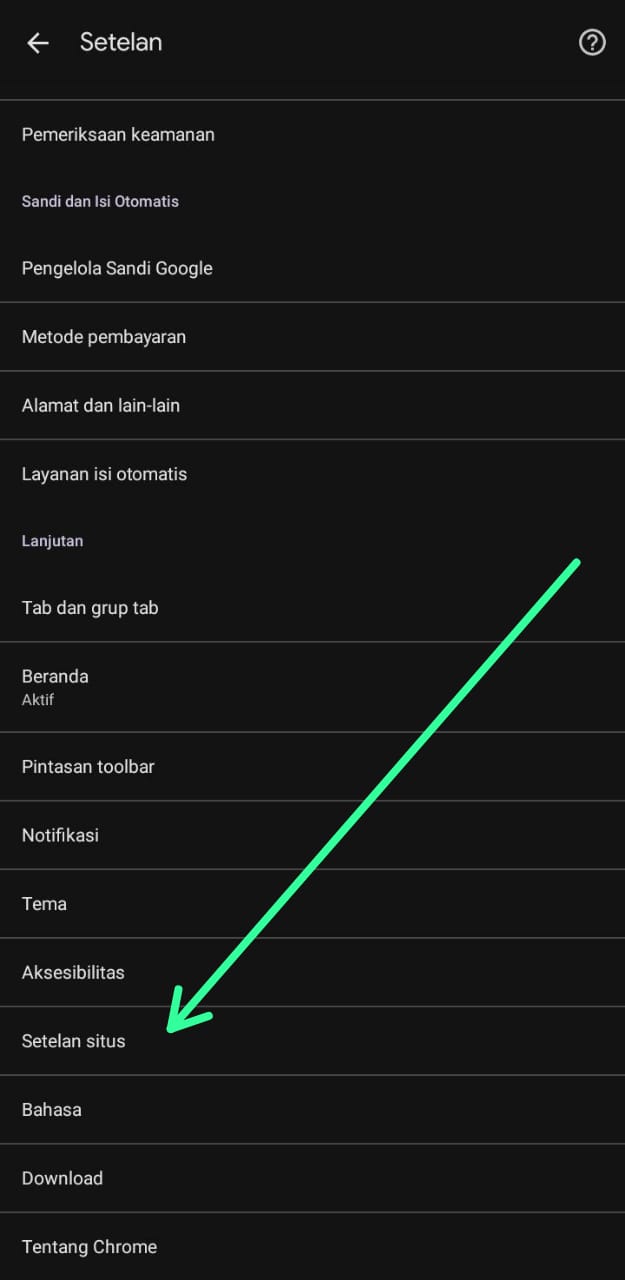
Scroll down a bit until you find the site settings option.
-
Then look for the option that says annoying ads
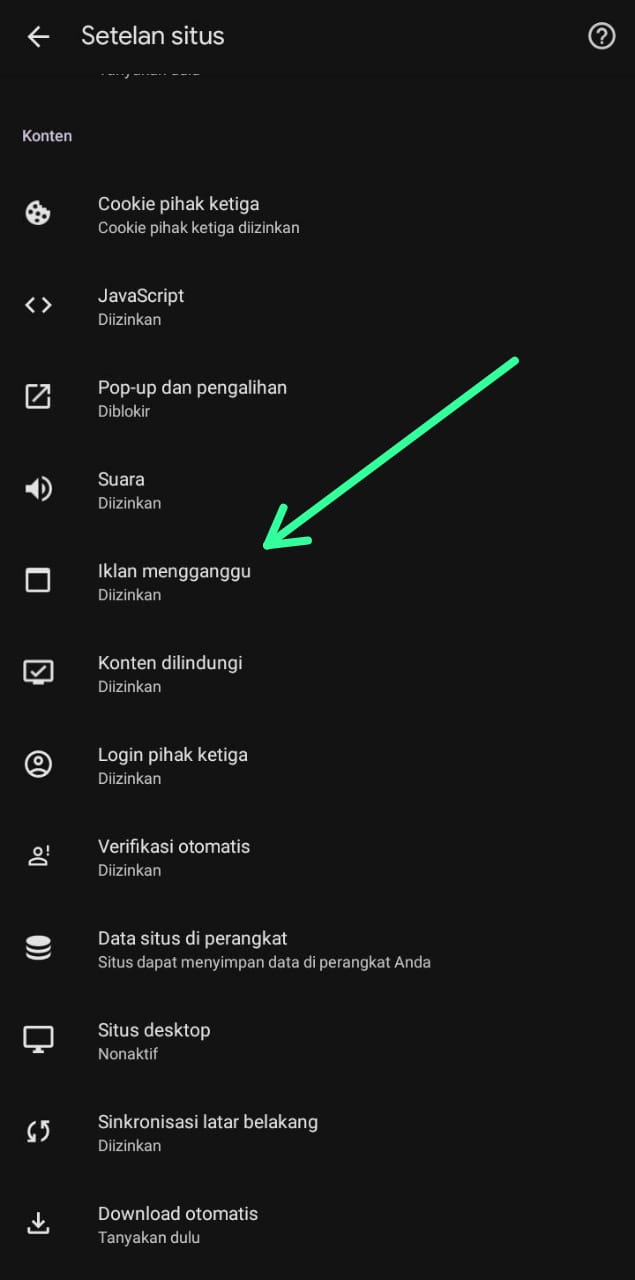
-
Then select the top part
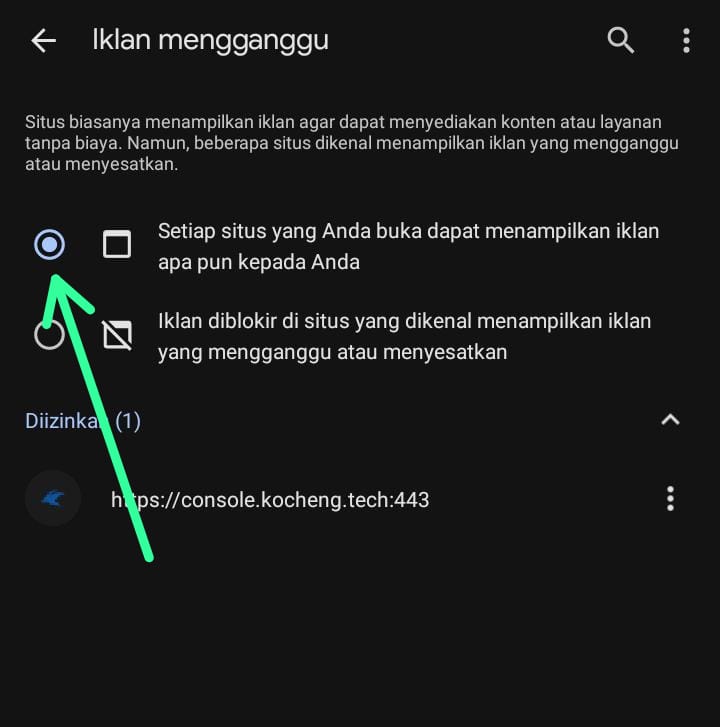
Once completed, refresh the page and the Adblock notification will disappear automatically. However, if Adblock is enabled again, the notification will reappear.